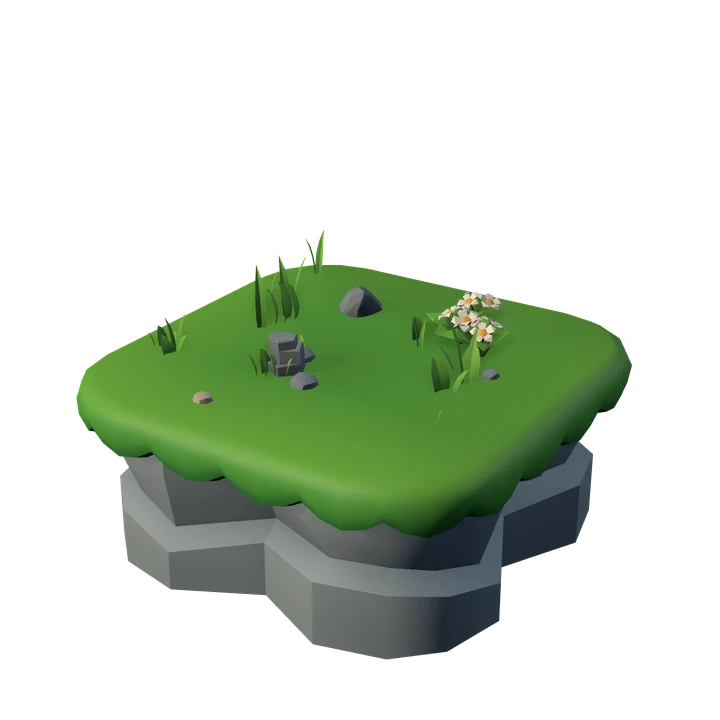

Solofoco is a focus app for your computer: while you focus, a tree grows on your island. This policy explains, in a few words, what the app, the browser extension and the website waitlist do with information. In short: the app has no account, does not ask for your email and does not know who you are. Your island stays on your computer. Only the website waitlist, if you join it, keeps your email, to tell you about the launch.
In your browser, this website stores only a language-preference cookie (solofoco_lang); there is no tracking or analytics.
No. 01Who is responsible
Solofoco is made by Mateus Lopes Da Silva, an individual developer based in Porto Alegre, RS, Brazil. For any privacy question, write to contato@solofoco.com.
No. 02What stays only on your computer
Everything you create in the app is saved on your own computer and is not sent to us:
- your island, trees, coins and unlocked species;
- your focus session history (dates, duration, chosen app, whether the session was completed);
- the notes you write during sessions;
- your settings;
- the websites you choose as allowed in the Sites tab (only the domain, for example
x.com); - the optional name you enter in "What should we call you?". It is only used so the app can address you, and it never leaves your computer.
To know which app you are focusing on, Solofoco looks, while it is running, at which programs are in use on Windows (for example, code.exe) and at the window title, which is used only to show a friendly name in the app list. The window title is neither saved nor sent.
If you uninstall the app, this data is deleted with it. We do not have a copy.
No. 03No usage statistics
The app sends no usage statistics or any other data about what you do: there is no telemetry, analytics or ads. The apps you focus with, session lengths, trees and notes stay only on your computer.
If Solofoco ever starts sending anything, this policy will be updated first, and the app will let you know.
No. 04The browser extension
The Solofoco extension is made for Chrome and Edge, and works only together with the Solofoco app. It does two things: it shows your open tabs in the app when you choose which websites count as focus, and it tells the app which website you are on during a focus session. It works with the Windows app.
When you choose your allowed websites. When you open the Sites tab in the app to choose which websites count as focus, the extension sends the Solofoco app on your computer the icon, the title and the website (the domain, for example x.com) of your open tabs, only so they can be shown on that screen. Icons and titles are not saved. The app saves, on your computer, only the websites you choose.
During focus. During a focus session, the extension sends only the website (the domain, for example github.com) of the active tab. It never sends the full address or the page content: the rest of the address is discarded immediately.
What it does not read. The extension does not read page content, passwords, forms or your browsing history. Incognito (private) tabs are never sent, and internal browser pages, such as settings and extensions pages, are ignored.
Where it goes. Everything goes only to the Solofoco app running on the same computer, over a local connection (the address 127.0.0.1) that does not go through the internet.
What it never does. The extension sends nothing to the internet, not to us and not to third parties. It has no account, login, statistics, analytics or ads.
Pairing. To connect, you generate a 6-digit code in the app's Settings and type it into the extension once. This creates a secret key that is stored only on your computer: in the extension, in the browser's local storage, and in the app, protected by Windows itself. Every message from the extension is signed with this key, so no website or program can pretend to be it. The key is never sent to us.
Permissions. When you install it, the browser shows what the extension asks for. Each permission is used only to talk to the Solofoco app on your computer:
- Tabs (
tabs): to see the icon, title and site of your open tabs when you choose the allowed sites, and the site of the active tab during focus. From the address, only the domain (for examplegithub.com) is used; the rest is discarded right away. The browser may describe this as "read your browsing history", but the extension only looks at the tabs that are open at that moment and does not read your history. - Site icons (
favicon): to show, on the app's site picker, the icon the browser itself already saved for each open tab. The icon is not stored. - Storage (
storage): to keep, only in the browser on your computer, the pairing key with the app and the version of the privacy notice you accepted. - Alarms (
alarms): to keep the local connection with the app open and reconnect on its own if it drops. - **Access to
http://127.0.0.1/***: to talk to the Solofoco app on your own computer. This address is local and does not lead to any server on the internet.
In the future, the extension may also work with the Solofoco web app (app.solofoco.com), under exactly the same rules.
Technical log. The app keeps a technical log on your computer of how it is working (for example, whether the extension connected or ran into an error). It does not include websites, tab titles, codes or the content of what you do, and it is not sent to anyone unless you send it to support yourself.
How to disconnect. You can disconnect at any time, in the extension or in the app's Settings. When you disconnect, the pairing key is deleted and the extension stops sending. To remove everything, uninstall the extension from your browser's extensions menu.
Limited use. The information the extension obtains (websites, tab icons and titles) is used only for these Solofoco features. It is not sold, not transferred to anyone, not used for advertising, marketing, public statistics or anything else, or to determine creditworthiness, and no one reads the websites you visit: none of it reaches us. The use of information received from the extension complies with the Chrome Web Store User Data Policy, including the Limited Use requirements: https://developer.chrome.com/docs/webstore/program-policies/limited-use
No. 05Purchase in the stores
Solofoco will be sold in app stores: the Microsoft Store and Steam (for Windows) and the Mac App Store (for Mac). Purchase, payment and licensing are handled by the store you buy from: Microsoft, Valve (Steam) or Apple. We do not receive your payment details.
These stores also give us aggregated reports, such as installs, sales and crashes of the app, without identifying you. That data is handled by each store under its own privacy policy: Microsoft (privacy.microsoft.com), Valve (store.steampowered.com/privacy_agreement) and Apple (apple.com/legal/privacy).
No. 06Website waitlist
If you join the waitlist at solofoco.com, we keep:
- your email;
- the platforms you picked (Windows on the Microsoft Store, Steam, Mac on the Mac App Store), if you picked any. If you pick none, we tell you about the launch on all of them;
- the page language, the sign-up date, the confirmation date and the version of the consent text you accepted.
What for. Only to send the launch notice for the platforms you chose (or all of them, if you chose none). We do not send weekly news or ads, we do not sell or share the list, and it is not linked to the app.
Legal basis. Your consent (Brazil's LGPD, Art. 7, I), given by ticking the box on the form. You can withdraw it at any time.
Confirmation (double opt-in). After you sign up, we send an email with a link to confirm. If you do not confirm, we send nothing else, and the unconfirmed sign-up is deleted after 30 days.
How to leave. Every email has a link to leave the list, which deletes your data right away. You can also ask at contato@solofoco.com.
How long. Until you leave, or until all the platforms you picked (or all of them, if you picked none) have launched and you have been told. After that, we delete your sign-up.
Who processes it. The website and the list run on Cloudflare (cloudflare.com/privacypolicy), and the list emails are sent through Resend (resend.com/legal/privacy-policy). Both handle this data only on our behalf, for this purpose, and may process it outside Brazil. To block automated sign-ups, the form may use Cloudflare Turnstile, an anti-spam check.
No. 07Notifications
The app shows Windows notifications, for example when a session ends. They are generated on your computer and send nothing.
No. 08Children
Solofoco is not designed for children under 13. Since the app does not collect data that identifies anyone, we do not collect data from children either. If the app is used by a child or teenager, this should happen under the supervision of their parents or guardians, as set out in Article 14 of Brazil's LGPD.
No. 09Your rights (LGPD)
Brazil's General Data Protection Law (Law 13,709/2018, "LGPD") gives you rights such as confirming whether we process your data, accessing it, correcting it, requesting its deletion and withdrawing consent.
The app and the extension do not send us your data, so of those we have nothing to access, correct or delete. If you are on the website waitlist, you can ask to access, correct or delete your sign-up, or leave through the link in any email. You can:
- leave the waitlist through the link in the email, which deletes your sign-up right away;
- delete everything on your computer by uninstalling the app;
- disconnect or uninstall the browser extension at any time, which deletes the pairing key;
- contact us at contato@solofoco.com; we will reply within 15 days;
- file a complaint with Brazil's National Data Protection Authority (ANPD): https://www.gov.br/anpd
No. 10Changes to this policy
If this policy changes, the new version will be published on this page with an updated date. If a change involves sending something new, the app will tell you beforehand. If what we do with the waitlist changes, we will email the people on it.
No. 11Contact
Mateus Lopes Da Silva, Porto Alegre, RS, Brazil
Email: contato@solofoco.com